

Wireless Security Camera Not Recording
Nothing disrupts your sense of safety faster than realizing your wireless security camera not recording when you need it the most. Imagine this: you check your footage after a suspicious incident, only to find that the video is missing. Whether you rely on outdoors security cameras to monitor your property or an indoor camera system to keep an eye on loved ones, this situation can be both frustrating and alarming.
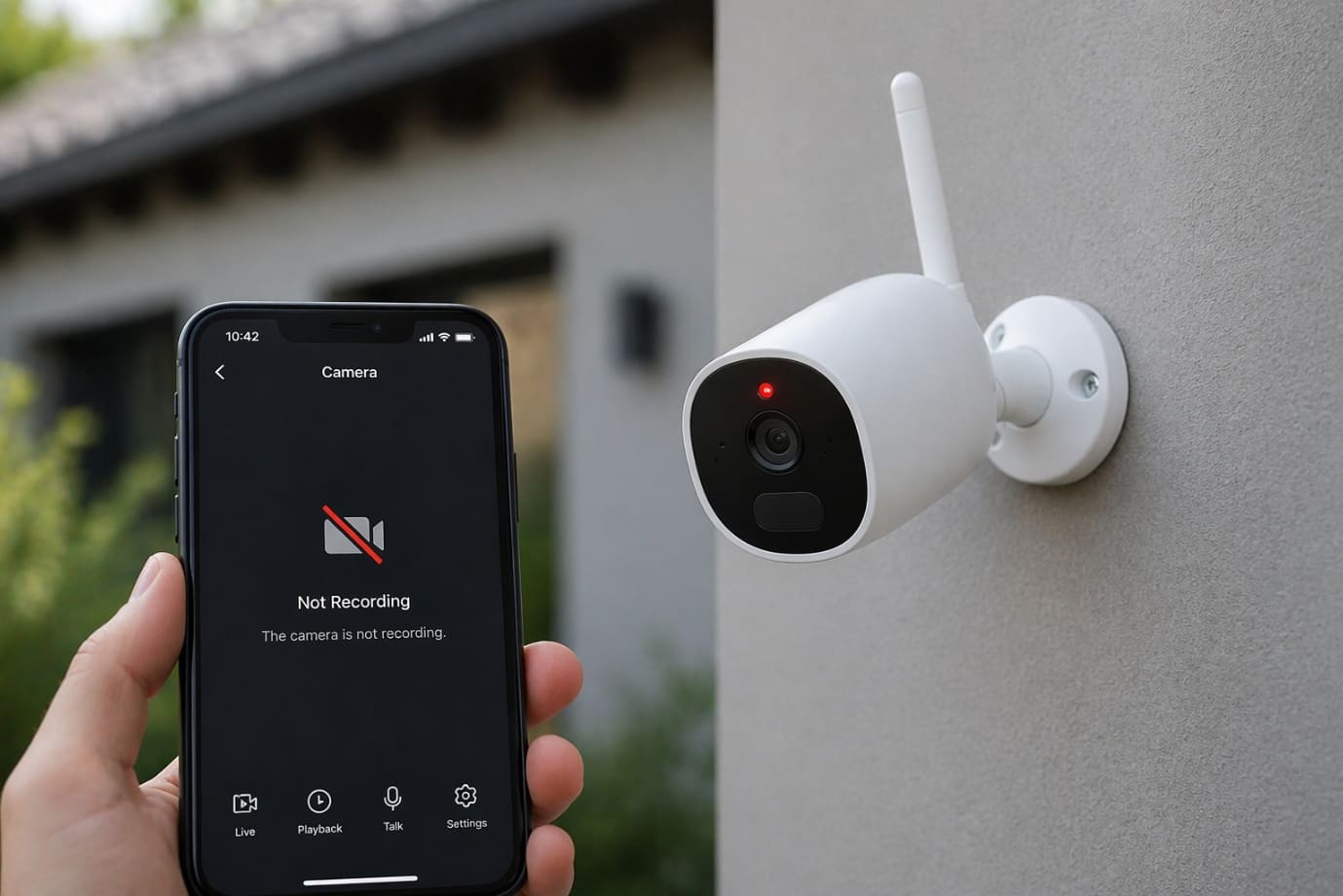
A security camera system that does not record, creates serious security gaps, leaving your home or business vulnerable. Missing footage could mean lost evidence during a break-in, package theft, or any unexpected event. Many users face this issue when their wireless security camera system does not record due to unnoticed technical glitches, storage limitations, or connectivity problems. Even advanced setups like battery powered wireless security cameras can suddenly fail, especially if it stopped recording without warning.
This blog is designed to help you understand exactly why these issues occur and, more importantly, how to fix them quickly. From simple troubleshooting steps to advanced fixes, you’ll gain practical insights to restore your system’s functionality and ensure your surveillance setup works when it truly matters.
How Wireless Security Cameras Record Footage
Understanding how your surveillance setup works is essential when dealing with a wireless security camera not recording issue. Whether you use outdoors or an indoor camera system, recording depends on a combination of storage, connectivity, and power.
Storage Methods: Cloud vs Local
-
- Cloud Storage: Footage is uploaded to online servers via the internet. If your connection drops, your wireless security camera system will not record properly.
- Local Storage (SD Card/NVR): Videos are saved directly on a memory card or network recorder. A full or corrupted card can cause your wireless camera system to stop recording.
Recording Modes
-
- Motion Detection: The wireless security camera system records only when movement is detected, saving storage but requiring accurate sensitivity settings.
- Continuous Recording: Records 24/7 but consumes more storage and power.
Internet Connectivity
-
- A stable connection is crucial, especially for cloud-based security camera system setups. Weak Wi-Fi can interrupt recording, particularly in outdoors security cameras.
Power Dependency
-
- Battery powered wireless security cameras rely on charge levels—low battery can stop recordings unexpectedly.
- Wired systems depend on uninterrupted power supply.
When any of these components fail, the recording issue can arise, affecting the reliability of your entire surveillance setup.
Common Reasons Your Wireless Security Camera Is Not Recording
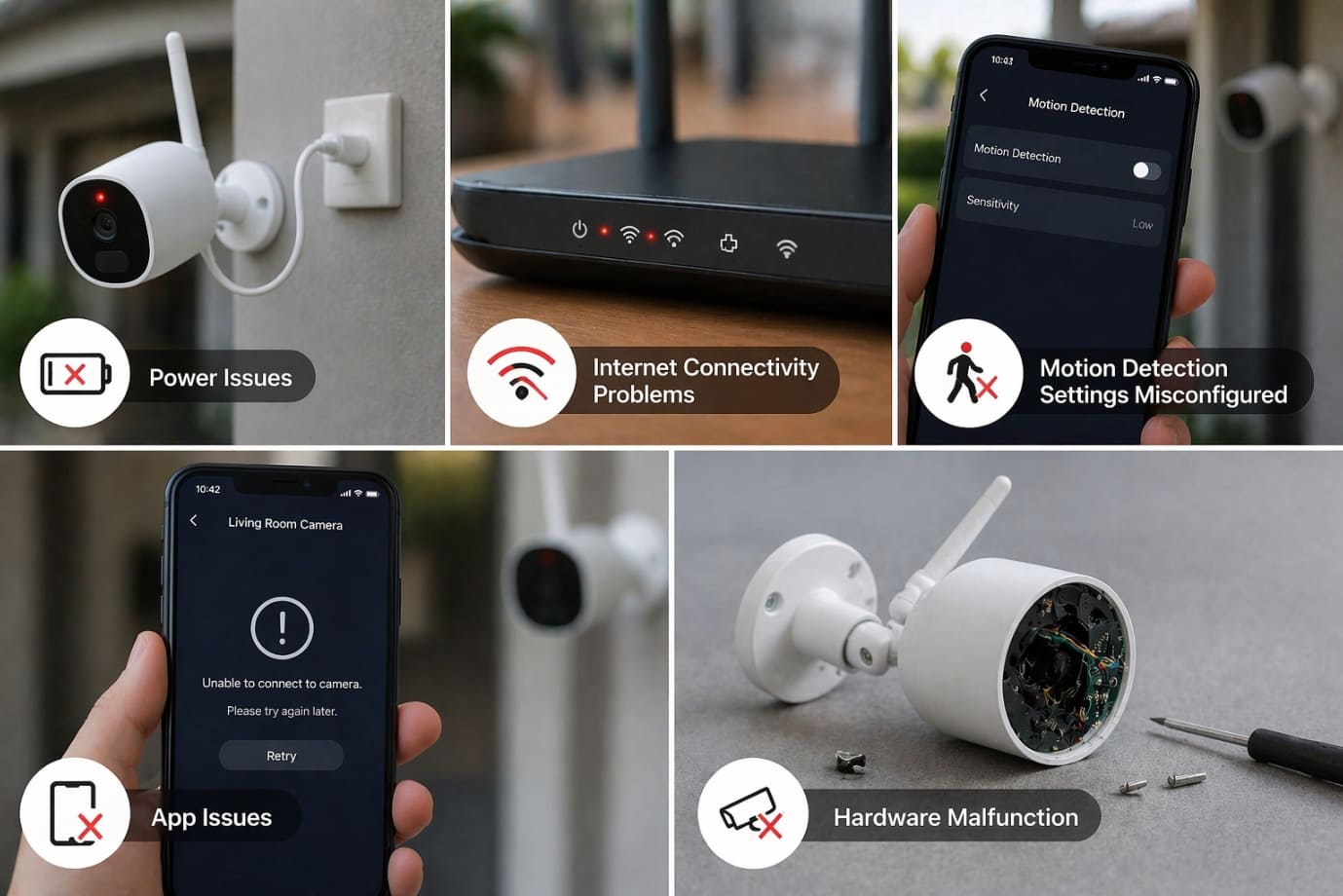
If your wireless security camera not recording issue has caught you off guard, the root cause is often hidden in one of several key components of your setup. Whether you rely on outdoor or an indoor camera system, even small faults can disrupt your entire security camera system. Below are the most common reasons why your wireless security camera system does not record as expected.
Power Issues
Power failure is one of the most overlooked reasons behind a wireless security camera not recording issue.
- Battery drained: Many battery powered wireless security cameras stop recording when battery levels drop too low.
- Faulty power adapter: A damaged adapter can interrupt power supply in a wired camera system.
- Loose wiring: Even slightly disconnected cables can shut down recording functions.
Signs to watch
- Camera appears offline in the app
- No LED indicators or status lights
Internet Connectivity Problems
A stable connection is critical, especially for cloud-based security camera system setups.
- Weak Wi-Fi signal: Common in outdoor cameras placed far from the router
- Router issues: Temporary glitches or outdated firmware can disrupt connectivity
- Bandwidth overload: Too many connected devices can slow down or stop recording
When connectivity drops, your wireless security camera system will not record footage properly or misses key events.
Storage Problems
Storage limitations are a major reason behind a wireless security camera not recording problem.
- Full SD card: Once storage is full, the camera may stop saving new footage
- Corrupted storage: Damaged SD cards can prevent recording entirely
- Cloud subscription expired: Without an active plan, your security camera system cannot store recordings online
Motion Detection Settings Misconfigured
Incorrect settings can make it seem like your wireless camera system stopped recording, even when it’s technically working.
- Low sensitivity: The indoor system or outdoor unit may fail to detect motion
- Incorrect detection zones: Activity outside selected zones won’t trigger recording
- Disabled schedules: Recording may be turned off during certain hours
Firmware or App Issues
Software problems can silently disrupt your security camera system.
- Outdated firmware: Older versions may contain bugs affecting recording
- App glitches: The control app may fail to sync with your camera system
- Compatibility issues: Updates may not align with your device model
These issues often result in the wireless security camera system not recording issue even though the device appears active.
Hardware Malfunction
If none of the above apply, the issue may be internal.
- Sensor failure: The camera cannot detect motion or record footage
- Internal damage: Wear and tear or environmental exposure can affect security cameras
In such cases, your wireless security camera not recording problem may require repair or replacement.
Identifying the exact cause behind the recording issue is the first step toward restoring your system’s reliability and ensuring your property remains protected.
Step-by-Step Troubleshooting Wireless Security Camera Not Recording Issue
When your wireless security camera not recording properly, a systematic approach can quickly restore functionality. Whether you’re using outdoor or an indoor camera system, follow these practical steps to fix the issue and prevent further disruptions.
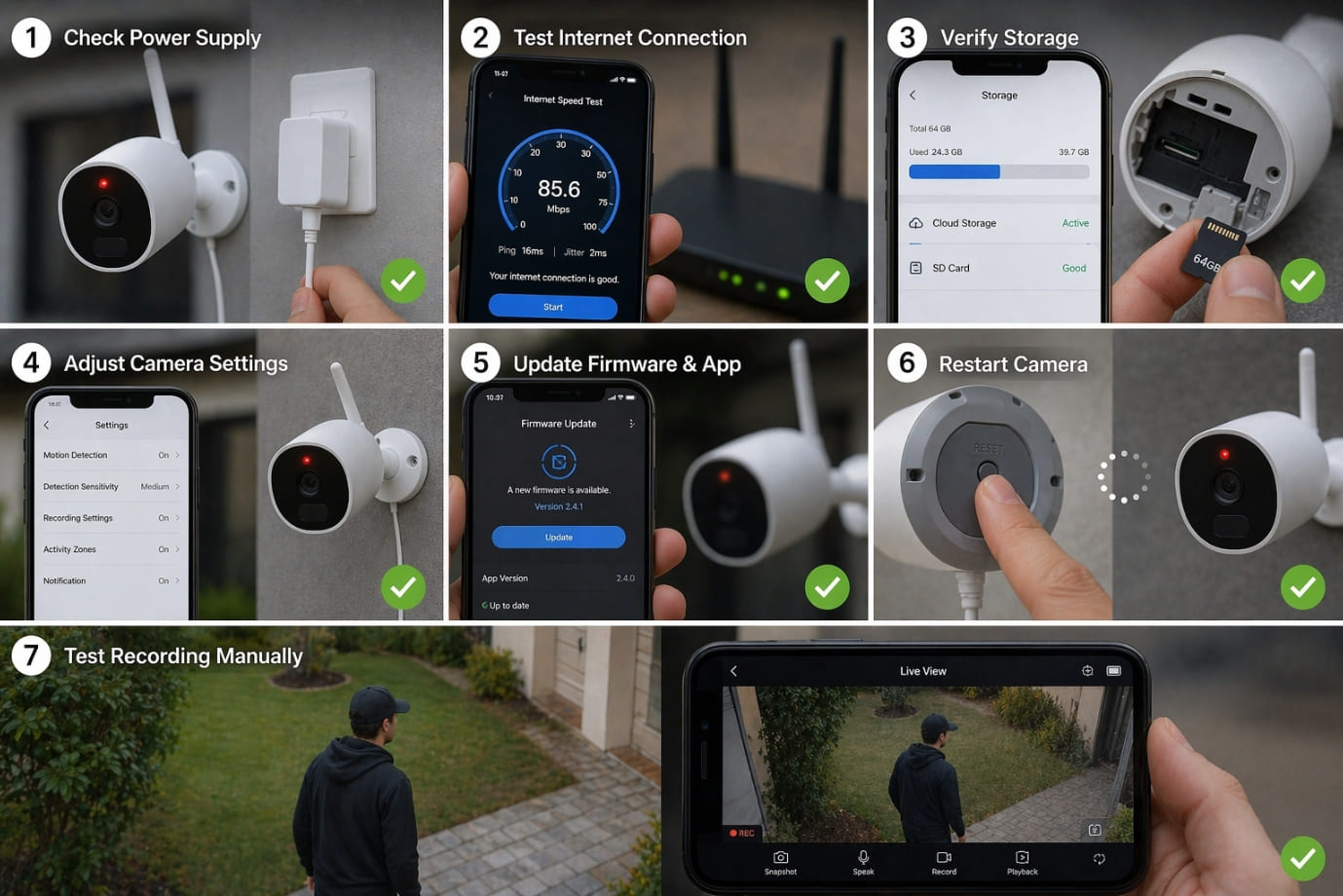
Step 1: Check Power Supply
Power issues are often the root cause when a wireless camera system stopped recording unexpectedly.
- Recharge or replace batteries of cameras
- Ensure power adapters are functioning correctly
- Inspect cables for damage or loose connections
A stable power source is essential to record continuously.
Step 2: Test Internet Connection
Connectivity plays a crucial role, especially if your wireless security camera system does not record footage to the cloud.
- Reboot your router to refresh the network
- Move outdoors security cameras closer to the router or use a Wi-Fi extender
- Check if other devices are consuming too much bandwidth
A weak or unstable connection can interrupt the recording process.
Step 3: Verify Storage
Storage issues frequently lead to a wireless security camera not recording problem.
- Format the SD card to clear corrupted data
- Replace old or damaged cards in your camera
- Check if your cloud subscription is active and not expired
Without available storage, even the best security camera system cannot save footage.
Step 4: Adjust Camera Settings
Sometimes the issue lies in incorrect configuration rather than hardware failure.
- Enable motion detection if it’s turned off
- Increase sensitivity settings in your indoor camera system or outdoor unit
- Review recording schedules to ensure the camera is active at the right times
Improper settings can make it seem like your wireless camera system stopped recording, even when it hasn’t.
Step 5: Update Firmware & App
Outdated software can cause your wireless security camera system does not record efficiently.
- Check for updates in the camera’s mobile app
- Install the latest firmware for your security camera system
- Updates fix bugs, improve compatibility, and enhance performance
Keeping your camera system updated ensures smooth and reliable operation.
Step 6: Restart or Reset Camera
A simple restart can resolve many hidden glitches.
- Perform a soft reset to refresh the system
- Use factory reset only if the issue persists (this will erase settings)
Resetting often resolves persistent not recording issue.
Step 7: Test Recording Manually
Finally, confirm whether your system is working correctly.
- Open live view in your app
- Start a manual recording test
- Check if footage is saved successfully
This step helps verify if your security camera system is fully restored and ensures your outdoor or indoor camera system are ready to capture important events.
By following these steps, you can quickly diagnose why your wireless camera system stopped recording and take the right actions to fix it, ensuring your property remains secure at all times.
Advanced Fixes for Wireless Security Camera Not Recording Issue
If basic troubleshooting hasn’t resolved your wireless security camera not recording problem, it’s time to explore more advanced solutions. These fixes are especially useful when your wireless camera system stopped recording without any obvious cause, even though your camera appears to be functioning normally.
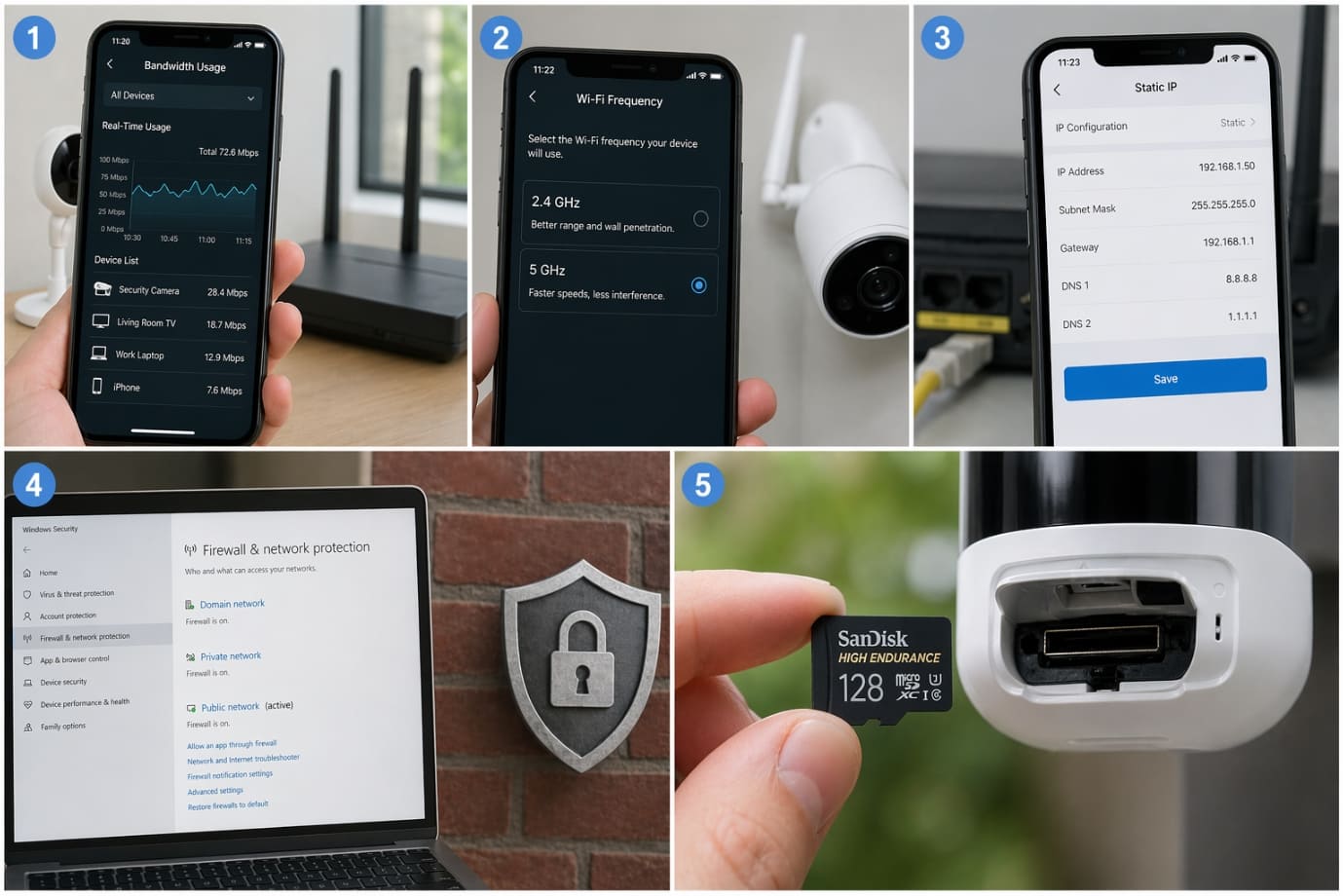
- Check Network Bandwidth Usage: Heavy internet usage from streaming, gaming, or multiple smart devices can limit the performance of your camera system. This is particularly common in setups with multiple outdoors and an indoor camera system running simultaneously. Reducing bandwidth load can restore proper recording.
- Switch Wi-Fi Frequency (2.4GHz vs 5GHz): Many battery powered wireless security cameras perform better on 2.4GHz due to its longer range, especially for outdoors security cameras. If your camera does not record, switching bands may improve connectivity and stability.
- Assign a Static IP Address: Dynamic IP changes can disrupt communication between your router and security camera system. Assigning a static IP ensures your camera remains consistently connected, reducing recording failures.
- Inspect Firewall and Security Settings: Sometimes, router firewalls or security settings block data transmission. This can cause your wireless security camera system not recording footage to cloud servers. Adjusting these settings can resolve hidden connectivity issues.
- Upgrade Your SD Card: Using a low-quality or outdated memory card can lead to recording failures. Replace it with a high-speed Class 10 or UHS card to ensure smooth performance in both indoor and outdoors security cameras.
Applying these advanced fixes can significantly improve the reliability of your security camera system and help eliminate persistent not recording issue.
Preventive Tips to Avoid Wireless Security Camera Not Recording Issue
Dealing with a wireless security camera not recording problem can be frustrating, but the good news is that most issues are preventable with regular maintenance and smart setup practices. Whether you rely on outdoor or an indoor camera system, taking proactive steps ensures your security camera system runs smoothly and avoids unexpected failures like when your wireless camera system stopped recording.
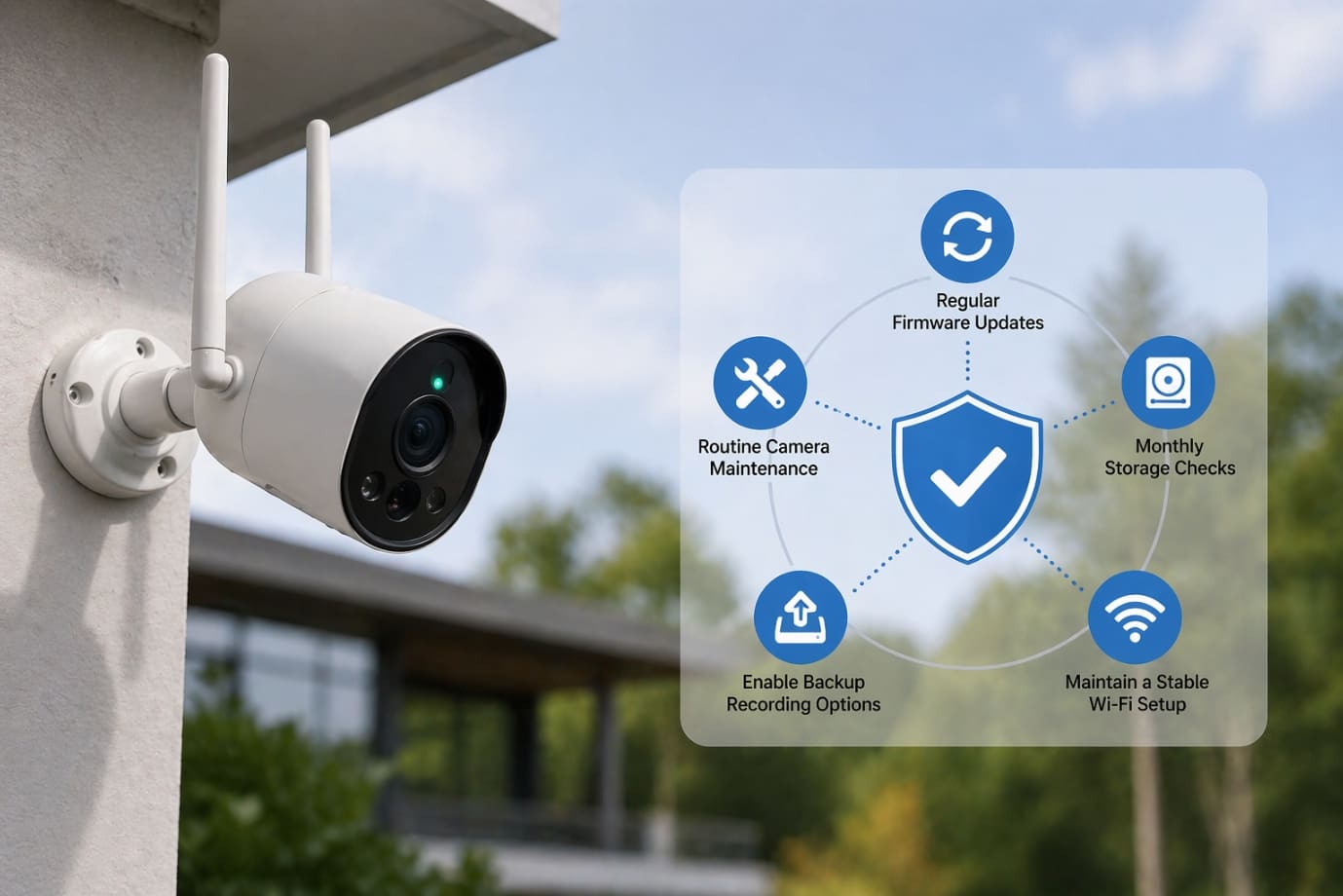
- Regular Firmware Updates: Always keep your camera system updated with the latest firmware. Updates fix bugs, improve performance, and prevent situations where your wireless security camera system does not record due to outdated software.
- Monthly Storage Checks: Periodically review your storage status. Ensure SD cards are not full or corrupted, and confirm your cloud subscription is active. This simple habit can prevent your wireless security camera not recording issue from recurring.
- Maintain a Stable Wi-Fi Setup: A strong and consistent internet connection is critical, especially for outdoors security cameras placed far from the router. Use Wi-Fi extenders if needed to support your entire security camera system.
- Enable Backup Recording Options: Use both cloud and local storage whenever possible. This ensures your camera system continues recording even if one method fails, reducing the risk of not recording scenario.
- Routine Camera Maintenance: Clean lenses, check for physical damage, and monitor battery levels. Regular upkeep keeps both your indoor camera system and outdoor units functioning reliably.
By following these preventive tips, you can significantly reduce the chances of your wireless security camera system not recording issue and ensure continuous protection for your home or business.
FAQs
Q1. Why is my wireless security camera not recording suddenly?
- A. If your wireless security camera stops recording, it could be due to power failure, poor internet connectivity, full storage, or incorrect settings. Both outdoors and indoor camera system rely on stable power and network conditions to function properly.
Q2. What should I do if my wireless camera system stopped recording?
- A. Start by checking power supply, internet connection, and storage. Restart your security camera system and ensure motion detection is enabled. In many cases, a simple reset can fix the issue.
Q3. Why is my security camera system not saving recorded footage?
- A. This usually happens due to full or corrupted storage, or an expired cloud subscription. If your wireless security camera not recording, always check your storage settings first.
Q4. How do I fix motion detection issues in my indoor camera system?
- A. Adjust sensitivity levels, redefine detection zones, and ensure recording schedules are enabled. Misconfigured settings can make it seem like your wireless camera system stopped recording.
Q5. Why do my outdoors security cameras stop recording more often than indoor ones?
- A. Outdoors security cameras are more exposed to weak Wi-Fi signals, weather conditions, and power fluctuations, which can lead to not recording issue more frequently.
Conclusion
A wireless security camera not recording issue can feel overwhelming, especially when your safety and surveillance depend on a reliable system. Whether you’re using outdoors security cameras to monitor your property or an indoor camera system to keep track of daily activity, any disruption in recording can leave critical gaps in your security. Understanding the root causes—ranging from power and connectivity problems to storage and configuration errors—helps you take control of your security camera system and restore its performance efficiently.
By following the step-by-step troubleshooting methods and implementing preventive measures, you can significantly reduce the chances of facing a wireless camera system stopped recording situation again. Regular maintenance, timely updates, and proper setup ensure that your camera operates smoothly, even in demanding conditions. This is especially important for users relying on battery powered wireless security cameras, where power management and connectivity play a crucial role.
If your wireless security camera system does not record despite trying all the recommended fixes, it may indicate a deeper technical or hardware issue that requires expert attention. Ignoring such problems can compromise the effectiveness of your entire surveillance setup.
If you still face this issue despite following the troubleshooting steps mentioned above, you can either contact the official support or contact us through the support number provided on our Homepage for personalized and quick help. Our experts can diagnose and fix your system quickly.
 Call +1-865-366-9022